
ABC13 Houston
DisneyNews & Magazines
4.15.57K Reviews
- Version
- Varies With Device
- Installs
- 500.00K
- Age Rating
- Everyone
Screenshots
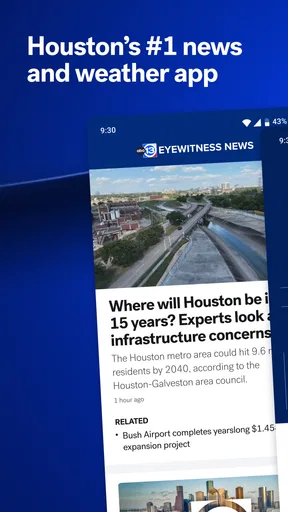
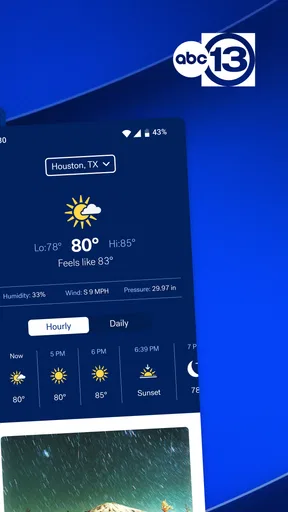
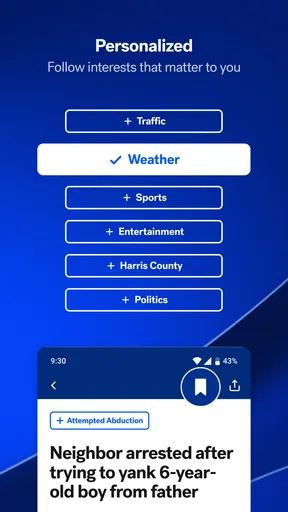
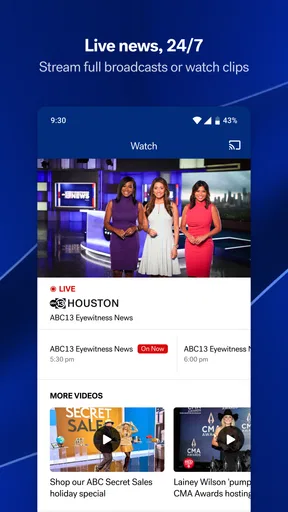
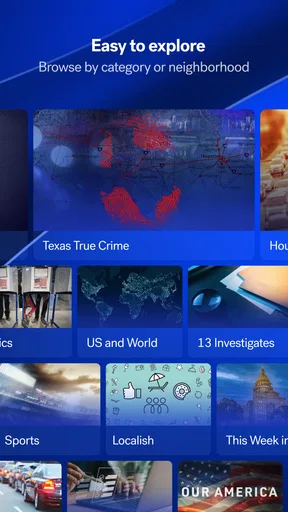
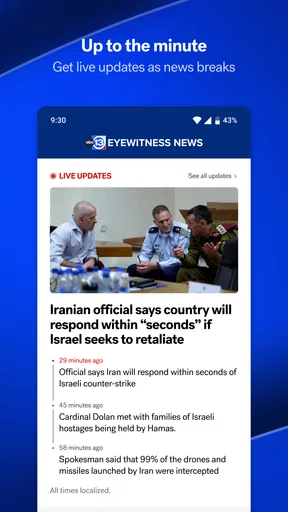

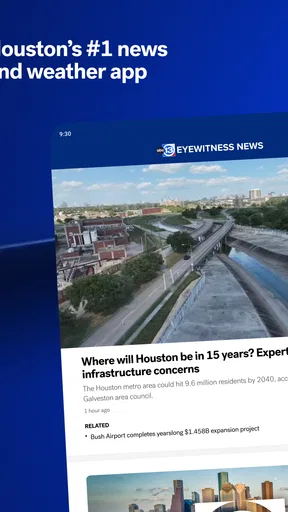
Our Review of ABC13 Houston
 Analysis by Appyee
I spent time with ABC13 Houston as a local news and weather app, and my first impression was that its value depends less on flashy extras than on timing. When I want to know what is happening around Houston, the useful question is usually not whether an app has endless sections, but whether it helps me reach the right update quickly when conditions are changing. This app, developed by Disney, is built around that need, with breaking news and weather alerts that can be customized to the user.
That focus makes it easy to understand. It is a free app in the News & Magazines category, rated for Everyone, and it has been available since May 17, 2013. Its store presence shows a 4.1 average from around 18 thousand ratings, with more than 500 thousand installs. Those figures suggest a well-established audience, but they do not replace personal fit: a Houston resident who wants local updates may find it genuinely useful, while someone seeking a broad national news reader may quickly run into its regional limits.
How ABC13 Houston feels when the network matters
The app makes the most sense when I have a connection and something is unfolding now. A developing weather situation, a traffic-affecting incident, or a local story can change between the time I leave home and the time I arrive at work. In those moments, the app’s alerts are more valuable than simply opening a general news homepage and scanning headlines. The important advantage is the possibility of receiving a relevant prompt instead of remembering to check manually.
That convenience also means the notification setup deserves attention. I would not treat every alert as equally important. A practical approach is to customize the topics and weather information that matter most, then keep the notification list narrow enough that urgent messages do not disappear among less useful interruptions. The best alert system is not the loudest one; it is the one I still trust after using it for a while.
Connectivity shapes the experience from the first tap. With a stable mobile connection or Wi-Fi, the app is suited to checking current headlines, opening developing stories, and following weather information as it changes. When the signal is weak, the experience becomes less dependable because the app’s central purpose is current information rather than a permanently stored library. I would open it before leaving a reliable connection if I expected to travel through an area with poor service.
This is an important distinction from a downloaded newspaper or a saved article. ABC13 Houston is most useful as a live window onto local events, not as a reading tool I would depend on in airplane mode or in a basement with no reception. I would not plan around offline access. Instead, I would use the app while connected, check important information before entering a low-signal area, and remember that a delayed refresh can make a developing situation look older or less complete than it really is.
Notifications are helpful only when I shape them
For me, customized alerts are the feature that separates this app from simply visiting a news website in a browser. A browser requires a deliberate visit. An alert can put a local development in front of me at the moment I need to decide whether to change plans. That is especially useful for weather, because the practical question is often “Should I leave now?” rather than “What are today’s headlines?”
There is a trade-off, though. Notifications can interrupt a quiet day, and local news apps may feel noisy if I enable every available category. I would begin with only the alerts that affect my routine, such as serious weather or major local developments, and adjust after seeing how often they arrive. If the app starts competing with messages and calls for attention, reducing the alert scope is better than abandoning it immediately.
Another useful habit is to read the alert as a prompt, not as the entire story. A notification can tell me that something changed, but the article or weather view is where I should look for context. This matters during fast-moving events, when the first short message may not answer practical questions about location, timing, or what residents should do next.
Using it in ordinary Houston routines
I can see ABC13 Houston fitting naturally into a morning routine. Before heading out, I would check the latest local headlines and weather, then glance at alerts before deciding whether to change my route or schedule. The app is not a replacement for every source I might use during a commute, but it can reduce the number of separate places I need to check for local awareness.
It also makes sense during a workday when I cannot keep a television broadcast running. A quick notification can tell me that a local situation deserves attention, while the app gives me a place to read more when I have a spare moment. This is where a dedicated local app feels more focused than a social feed: I am less likely to be pulled into unrelated posts, arguments, or viral content that has little connection to Houston.
On the other hand, I would not use it as my only source for a major decision. If severe weather affects travel, I would compare the app’s information with official emergency guidance and other dependable sources. Local news is valuable for reporting and context, but no single app should become the sole basis for decisions involving personal safety. That is not a criticism unique to this app; it is simply a sensible boundary for any news service.
What happens when the connection fails
The most obvious limitation is also the most predictable: current news needs current access. If my connection drops while I am opening a story, the app cannot be expected to behave like a fully downloaded publication. A headline I saw earlier may remain in my memory, but I should not assume that an unfinished page, an old screen, or a previous alert represents the latest situation.
My recovery routine would be simple. I would wait until the connection returns, reopen the relevant section, and refresh the information rather than relying on a screen that was already loaded. If an alert led to a story that will not open, I would treat the alert as an indication that something happened, not as enough detail to act on. For urgent weather concerns, I would also check another trusted channel rather than repeatedly tapping the same page.
This connection-first behavior can be frustrating when I am driving through weak coverage or trying to check information inside a crowded venue. It is worth deciding in advance what information I actually need. If I only want a quick sense of the latest local situation, an alert may be enough to prompt a later check. If I need detailed context, I should wait until I have a stronger connection instead of assuming the app can provide a complete experience everywhere.
There is a second kind of failure that is easier to overlook: notification overload can make a genuinely important alert easier to miss. In that sense, recovery is not only about network problems. It is also about maintaining a usable signal-to-noise balance. Reviewing notification choices occasionally is a practical maintenance step, especially after a period of unusually active local news or weather.
Keeping mobile use sensible
Because the app deals with changing information, I would use it more carefully on mobile data than I would use a simple text-only note app. I do not need to keep it open continuously. A better workflow is to open it when I have a specific reason, read the most relevant update, and close it when I am done. That keeps the app in the role of a quick local check rather than turning it into a constant background habit.
Wi-Fi is the sensible choice when I want to spend more time browsing several stories. On mobile data, I would prioritize the article or alert that brought me into the app, avoid repeatedly reopening the same page during a poor connection, and save broader reading for a reliable network. I would also avoid treating a stalled page as a reason to keep retrying indefinitely; repeated loading attempts are rarely useful when the real problem is coverage.
People with limited data plans may prefer to rely on notifications for the most important prompts and open the full app selectively. That approach does involve a compromise: a notification is convenient but less detailed than the complete story. Still, it is a reasonable way to stay aware without turning every headline into a longer mobile browsing session.
Battery-conscious users can apply the same principle. The app is most useful when I intentionally check it or respond to an alert, not when I expect it to replace every other source of information throughout the day. I would keep my phone’s broader notification habits under control and use the app as a targeted local-news tool.
Where it beats general alternatives, and where it does not
Compared with a general news aggregator, ABC13 Houston has a clearer local purpose. An aggregator may offer more national and international variety, but that breadth can bury a Houston-specific update among stories from everywhere else. When my question is local, a focused app is often faster because I am not starting with a huge mixed feed.
Compared with a browser bookmark to a news site, the main advantage is convenience around alerts. A bookmark is perfectly adequate when I remember to visit it, and it may be preferable for someone who does not want another app or another stream of notifications. The dedicated app becomes more compelling when I want local information to reach me without making a routine of checking a browser.
Compared with a social media feed, the app offers a more deliberate reading environment. Social platforms can surface local events quickly, but they also mix firsthand claims, commentary, repetition, and unrelated material. I would rather use ABC13 Houston for the initial local report, then use other sources when I need confirmation or official instructions.
Its limitation is scope. This is not the right choice for someone who wants a single application covering every region, a deep international news selection, or a highly personalized reading system built around many unrelated interests. It is also not ideal for a user who rarely has connectivity and expects a news app to remain fully useful without a network. In those cases, a broader reader or an offline-oriented publication may be a better match.
Small habits that make the app more useful
My first recommendation is to configure alerts gradually rather than accepting every option at once. Start with the information that can change a real decision, such as weather or major local developments. After using the app for a few days, keep the alerts that you consistently value and reduce the rest. This turns customization into a practical filter instead of a one-time setup screen.
My second recommendation is to separate discovery from verification. Let an alert tell you what deserves attention, then open the full report when you can read it properly. For a developing event, check the article’s latest context before forwarding the information or changing plans. This workflow is particularly important when a short notification could be interpreted too broadly.
Third, use the app before—not only during—a connectivity problem. If I know I will be traveling through an area where reception is unreliable, I would check current local conditions while connected and make a note of anything that affects my plans. I would not assume that the app will preserve a complete current news experience once the signal disappears.
Finally, I would keep a second trusted source available for high-stakes situations. ABC13 Houston can be a convenient local reporting and alert tool, but serious weather or emergency decisions deserve confirmation from official channels. That combination gives the app a realistic role: fast local awareness first, careful verification when the consequences are greater.
My connectivity verdict
After using ABC13 Houston with that network-aware mindset, I see it as a focused companion for people who want Houston news and weather close at hand. Its strongest quality is the connection between local coverage and customizable alerts. When the network is reliable and the notifications are set thoughtfully, it can save time and make it easier to notice changes that I might otherwise miss.
The experience is less convincing for readers who expect a broad national service, a quiet app with no interruptions, or dependable access in places without reception. Its usefulness rises and falls with connectivity, and that should be part of the decision before installing it. I would also avoid using any single news app as the only authority during an emergency.
Still, for a Houston resident who wants a free, straightforward way to follow local developments and weather, I think it is worth trying. The Everyone age rating makes it approachable for a wide audience, and the long-running presence of the app gives it a familiar place among local news options. My main advice is to treat ABC13 Houston as a connected local alert and reading tool, not an offline news archive.
That distinction sums up my experience. With a good connection, sensible notification choices, and a habit of checking full reports rather than reacting blindly to short alerts, the app can fit neatly into a commute, a morning routine, or an uncertain weather day. For those specific situations, I would recommend ABC13 Houston to a friend who lives in the area and wants local information without sorting through a much larger national feed. I would choose a different option only when broader coverage, offline reading, or a wider range of regions matters more than Houston-focused updates.
Verdict
Strengths of ABC13 Houston
- Provides local Houston news, weather, and traffic updates in one app.
- Live stream access helps users follow breaking news as it happens.
- Push alerts can deliver important local updates quickly.
- Covers community stories that may be missed by national news apps.
- Free to download and easy to browse on mobile devices.
Limitations of ABC13 Houston
- Some live streams may be unavailable outside the station’s viewing area.
- Frequent notifications can feel excessive unless carefully customized.
- Video playback may use significant mobile data over cellular networks.
- Advertising can interrupt browsing and video viewing.
- Coverage is focused on Houston and may feel limited for nonlocal users.
Other Releases by Disney
View All
Disney+
Entertainment4.4

Hulu: Stream TV shows & movies
Entertainment4.5

ESPN
Sports4.5

My Disney Experience
Travel & Local4.5
Similar Picks in This Category
View All
Google News - Daily Headlines
Google LLC4.0

X
X Corp.4.8

Flipboard:Your Social Magazine
Flipboard3.4

Opera News: breaking & local
Opera4.5

Hindi News by Dainik Bhaskar
Dainik Bhaskar Group4.0

Way2News Daily News App
Way2News ( Formerly Way2SMS )4.6
Frequently Asked Questions
What is ABC13 Houston?
ABC13 Houston is the mobile app for KTRK-TV, providing local news and updates for the Houston, Texas, area. After installing it, users can browse breaking news, watch selected video reports, check weather conditions and forecasts, follow traffic information, and read stories covering local events, sports, entertainment, and community issues. Content availability may vary by location and time.
What features does the ABC13 Houston app offer?
The app combines several useful local-news tools in one place. You can read current articles, watch live or on-demand video when available, receive breaking-news notifications, view weather forecasts and radar information, and follow traffic or major regional developments. Its layout is designed for quick browsing, although some features may depend on your internet connection, device compatibility, and location settings.
Is ABC13 Houston free to download and use?
ABC13 Houston is generally free to download and offers access to a substantial amount of news, weather, traffic, and video content without requiring a subscription. However, the app may display advertising, and certain live-streaming or video features could be subject to broadcaster restrictions. Mobile data charges may also apply, especially when watching video or using live updates away from Wi-Fi.
Does the ABC13 Houston app send notifications?
Yes, ABC13 Houston can send push notifications about breaking news, severe weather, traffic problems, investigations, and other important local developments. During setup, you can decide whether to allow notifications, and notification preferences may be adjustable later through the app or your device settings. If you prefer a quieter experience, you can disable alerts, although you may then miss urgent updates.
Does ABC13 Houston provide live streaming and weather information?
The app may provide live news coverage, live video, or streaming access during selected broadcasts and major events, but availability is not guaranteed at all times. It also includes weather forecasts, radar views, and severe-weather updates relevant to Houston and surrounding areas. Streaming quality depends on your connection, while some content can be limited by location, broadcast rights, or technical conditions.
